 Tabtone.app
Keep the audio.
Lose the gaps.
A little studio for the sound in your browser. Record a tab, find the natural breaks and save the parts worth keeping.
Chrome Web Store coming soon · Desktop Chrome
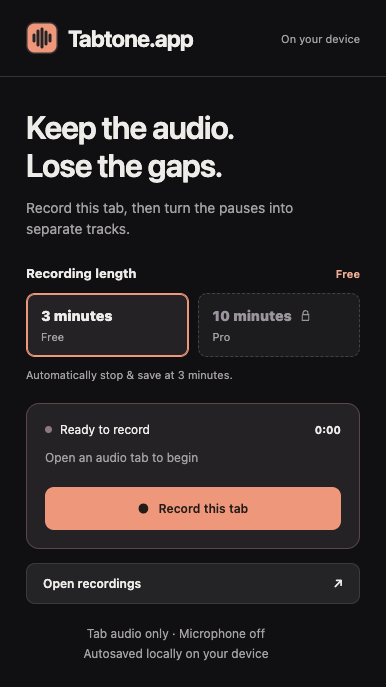
One tab at a time.
From browser playback
to files you can use.
Your music sketches. A voiceover take. A sound for a slide. Give a short piece of audio a useful home.
Record the tab.
Open the audio in Chrome and choose Record this tab. Capture the source without your microphone or the rest of your computer.
Find the good parts.
Quiet gaps suggest separate tracks. Preview them, merge a break that feels wrong and trim silence from their edges.
Name it. Save it.
Give each track a name, then export it as MP3 or WAV. Keep a small, organized collection of sounds instead of another open tab.
A small studio.
Room to get it right.
Simple controls for the useful decisions: where a track breaks, how quiet is quiet and what to call the result.
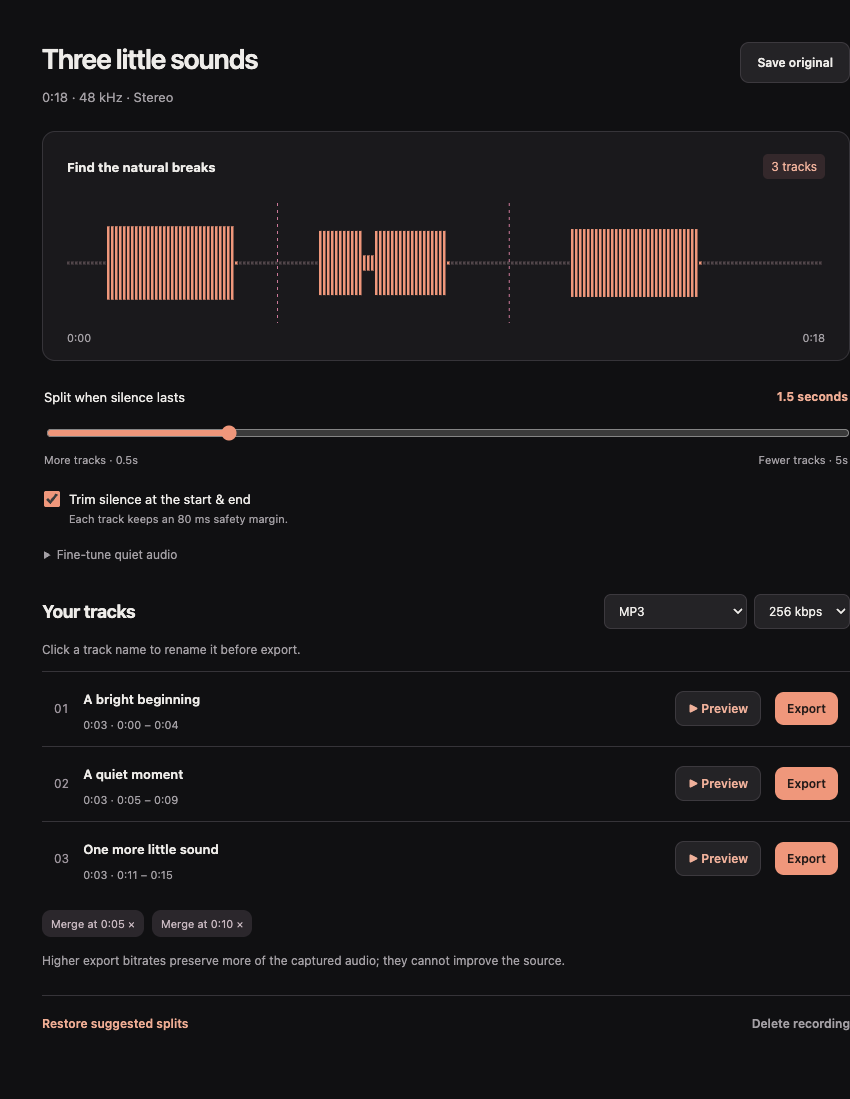
Let silence do the sorting.
Adjust gaps from 0.5 to 5 seconds. Fine-tune the quiet threshold for softer passages, or merge a suggested split.
Choose your export.
Individual MP3 tracks at 128, 256 or 320 kbps, or 48 kHz, 16-bit PCM WAV. Higher settings cannot restore missing source detail.
Keep it local.
Recordings and edits live in the extension on your device. No account, audio upload or remote encoder is involved.
The current preview supports three-minute Free takes. Its local Pro preview offers up to ten minutes per take, with no payment connected. Record audio you own or have permission to save; protected playback may be unavailable.
What would you
like to keep?
Explore all 25 guides Your next useful recording starts in a tab.
Tabtone is coming to the Chrome Web Store. Explore the guides while the public release is being prepared.